Anomaly detection
Learned baselines per metric raise anomaly alerts and recommendations, not just static thresholds.

Kllyroo learns what normal looks like for every server and service, warns you before disks fill or latency drifts, and writes the first draft of the investigation for you. The model runs on your Kllyroo server, so nothing leaves your network.
Kllyroo AI operations combine a local machine-learning engine for baselines, anomaly detection and predictive alerts with a built-in offline language model (IBM Granite or Qwen, Apache-2.0, delivered as a signed model pack) that writes incident summaries, likely causes and postmortem drafts. Cloud AI providers are optional.
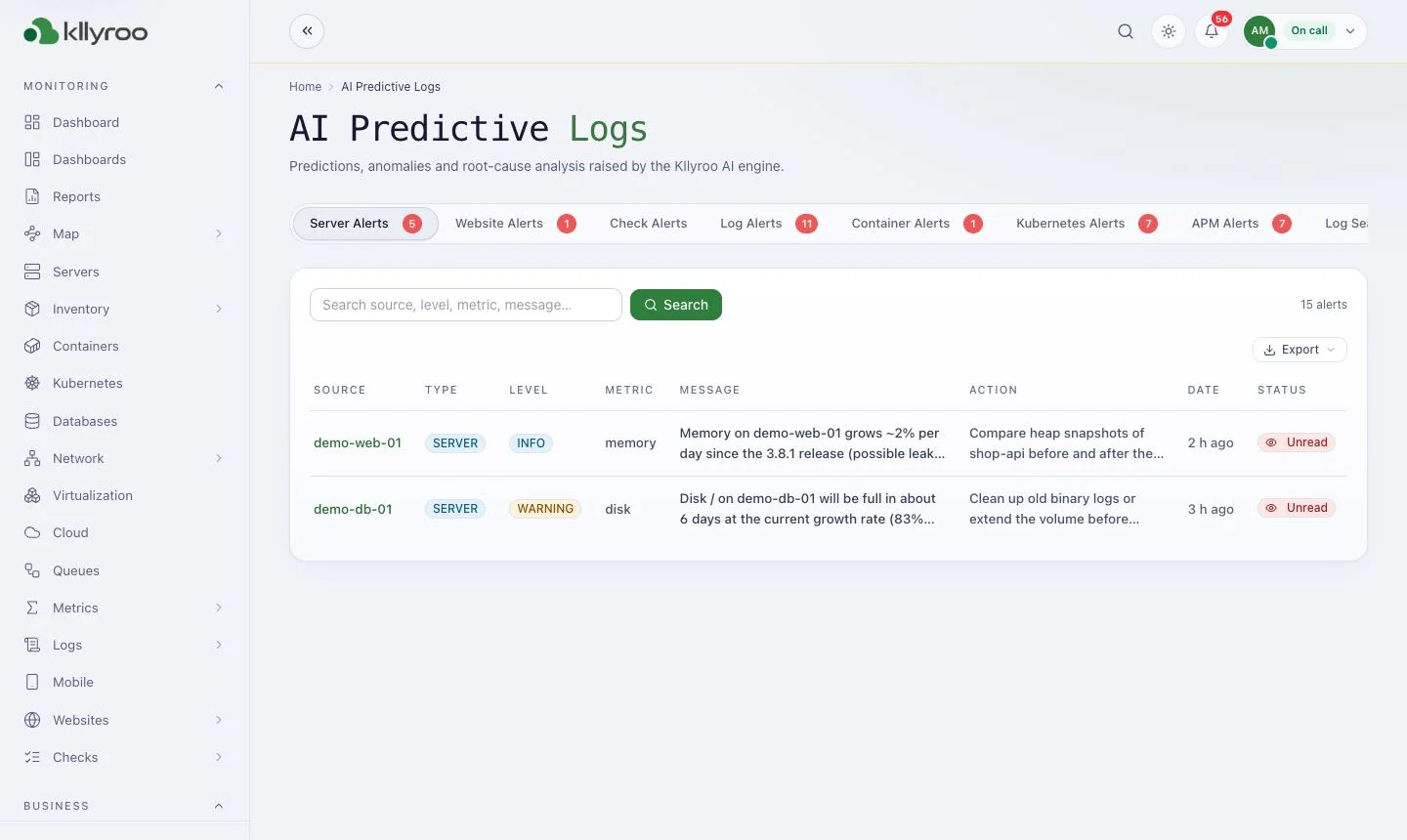
Learned baselines per metric raise anomaly alerts and recommendations, not just static thresholds.
“Disk full in 3 hours” style warnings so you act before the outage.
An inbox of AI findings and predictions from your log and metric streams.
Evidence gathering, likely cause with confidence, AI summary and postmortem drafts.
Chat over live monitoring data. Read-only by design — it cannot restart services or change settings. MCP server for external AI tools.
Local model runs on CPU via a signed model pack. Or use a model server on your network, or optional Claude / OpenAI / Gemini.
| AI option | Where data goes | Internet needed |
|---|---|---|
| Built-in offline AI (Granite 4.1 3B / 8B, Qwen3 4B) | Stays on your Kllyroo server | No |
| Your own model server | Stays on your network | No |
| Cloud provider (Claude, OpenAI, Gemini) — optional | Sent to the provider you configure | Yes |
Real screenshots from the Kllyroo user guide (demo data). Click any image to enlarge.
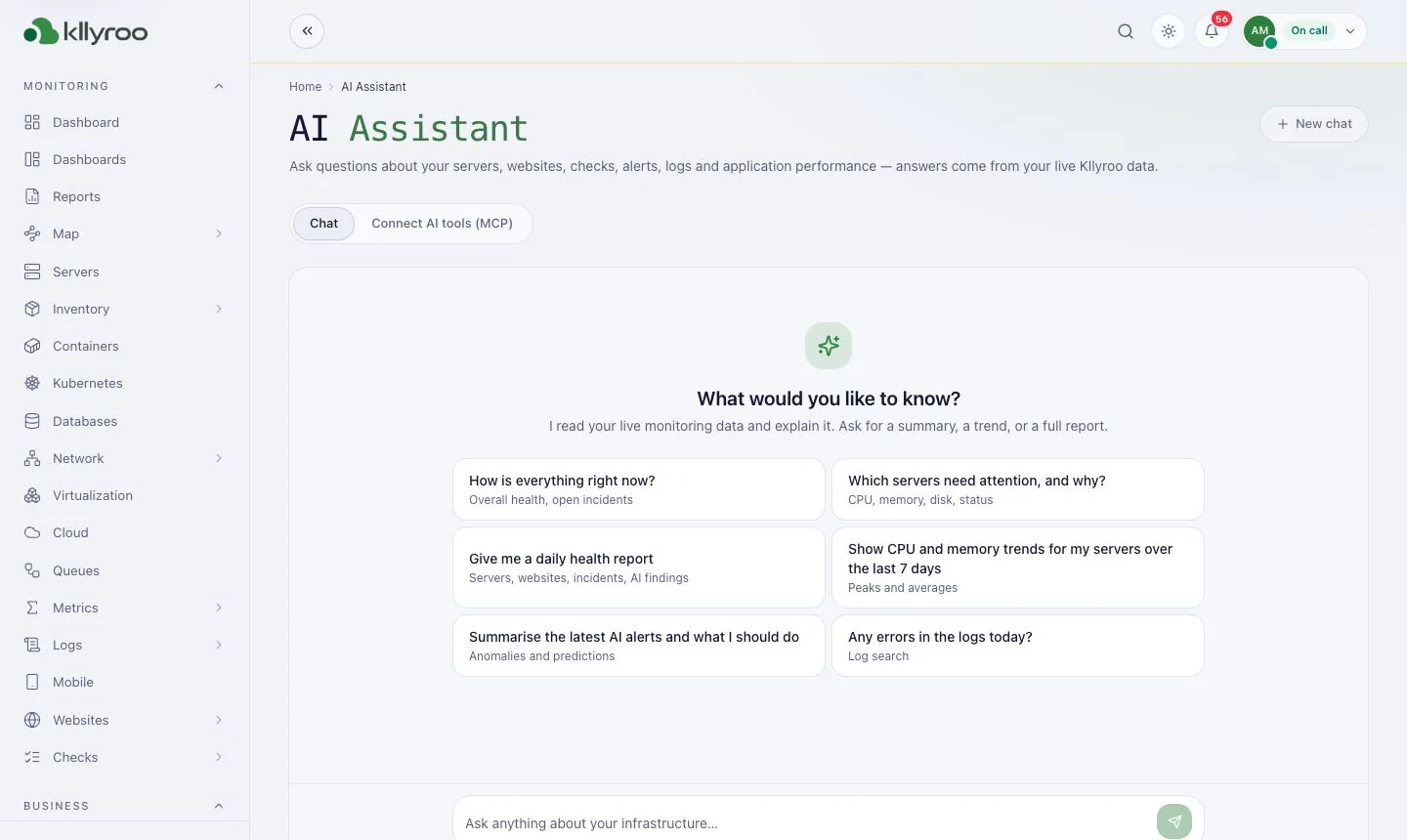
Ask questions about your live monitoring data.
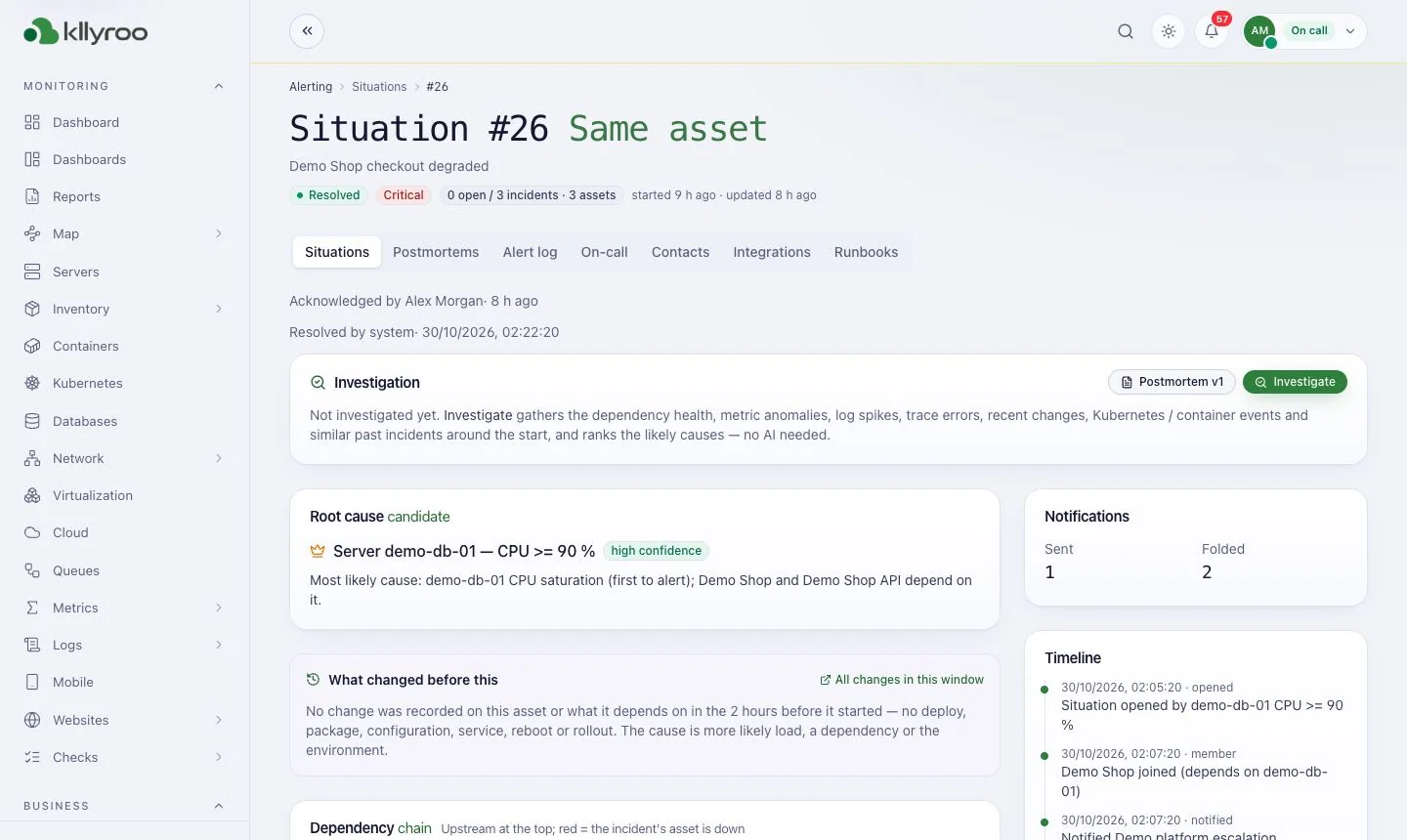
Root-cause candidate, what changed and the dependency chain.
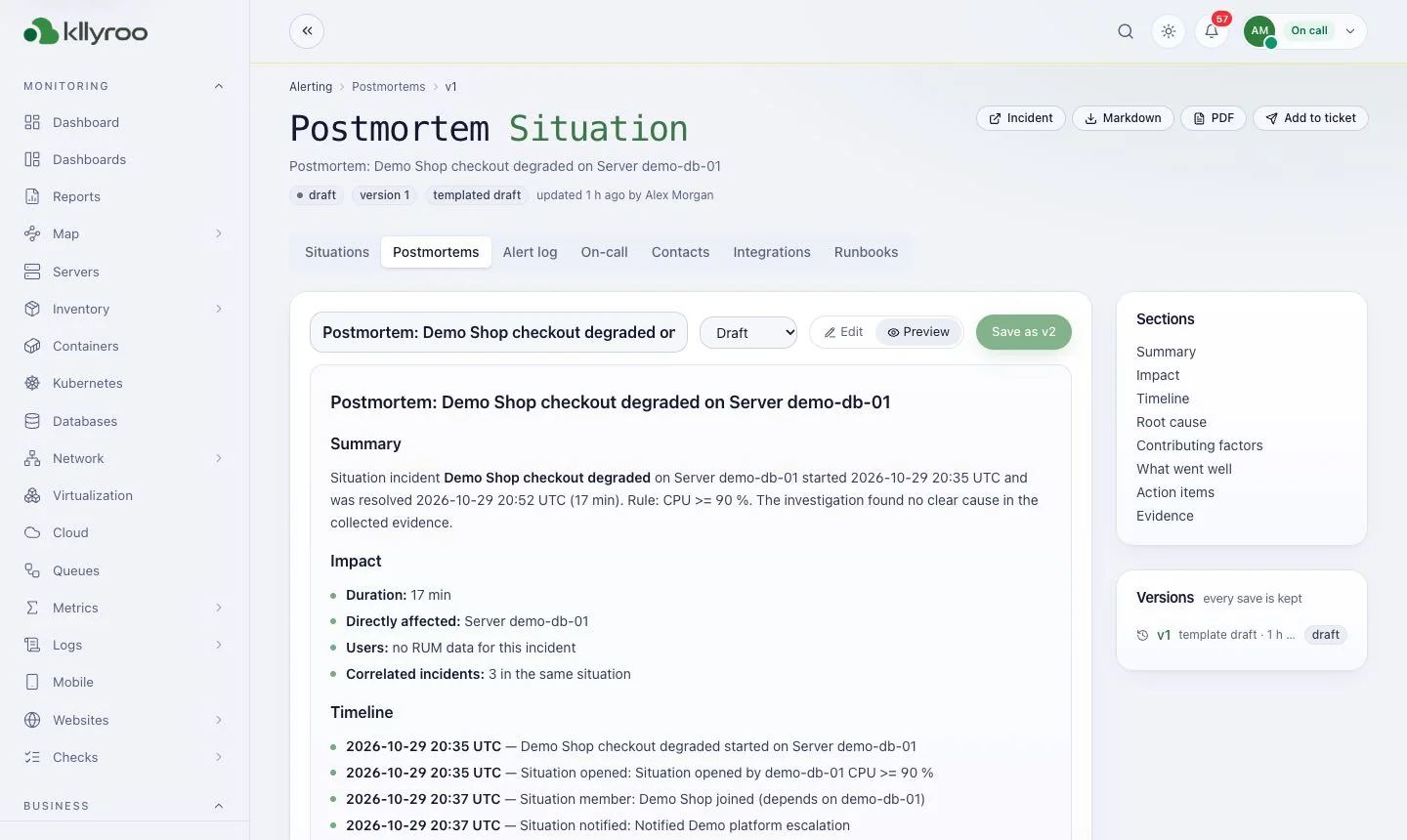
Blameless review drafted from the incident timeline.
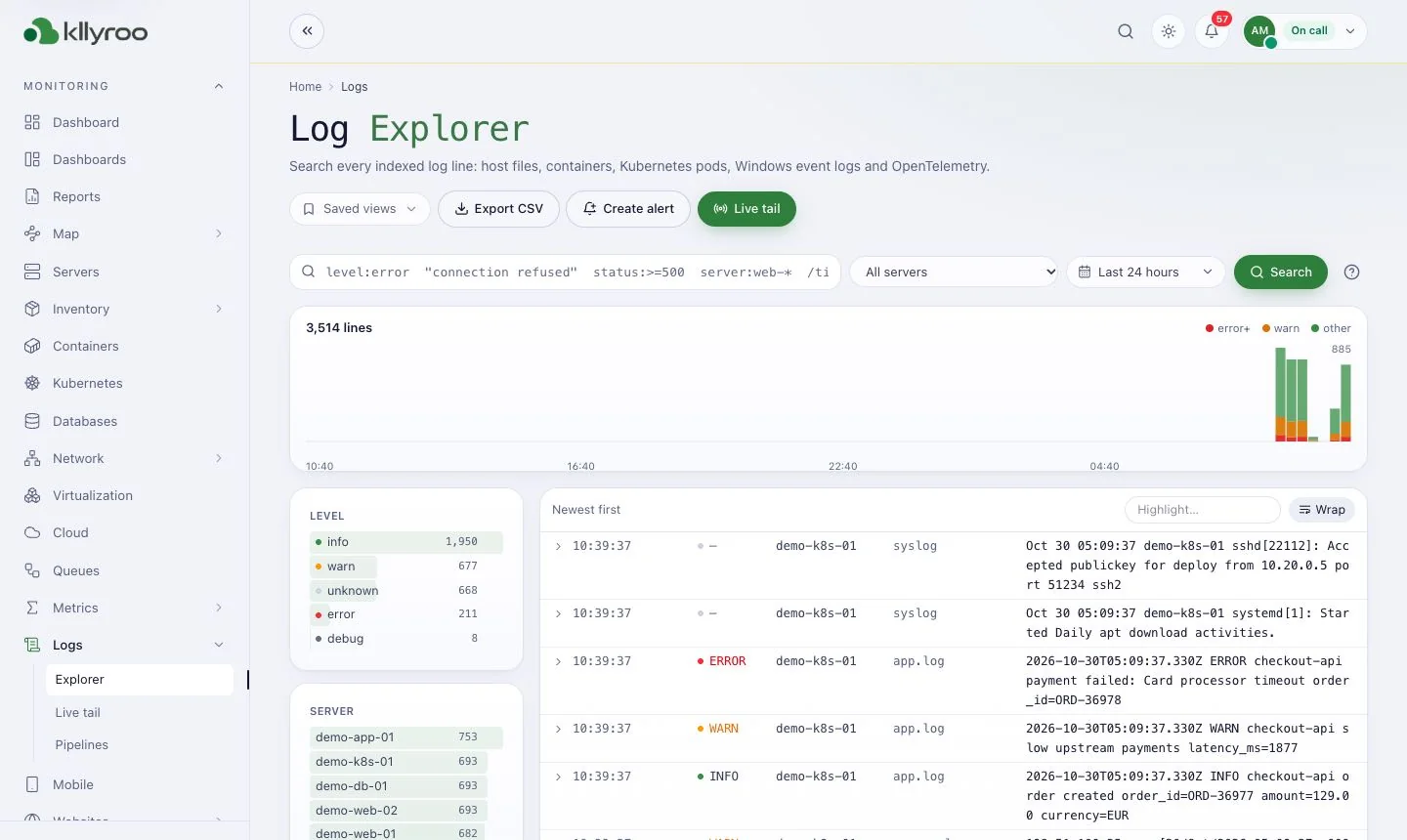
Search every log line the AI engine learns from.
Yes. Enable the built-in offline AI with a signed model pack, or connect a model server on your own network. Cloud AI providers are optional.
No. The Kllyroo AI assistant is read-only. It cannot restart services, change settings or run commands.
Only through runbooks you approve. Runbooks can run on approval or automatically on specific alerts; every script is signed and every run is audited.
Get a guided walkthrough, sizing advice for your estate, and a licence quote. Kllyroo installs on your server in under an hour and runs fully offline.